Store settings form the foundation of your Shopify store. They control your business information, contact details and legal pages. Completing this section accurately before making your store available to the public helps you avoid tax, shipping and compliance issues later.
Store contact information
The store address and contact information are used for tax and shipping calculations and for customer communications.
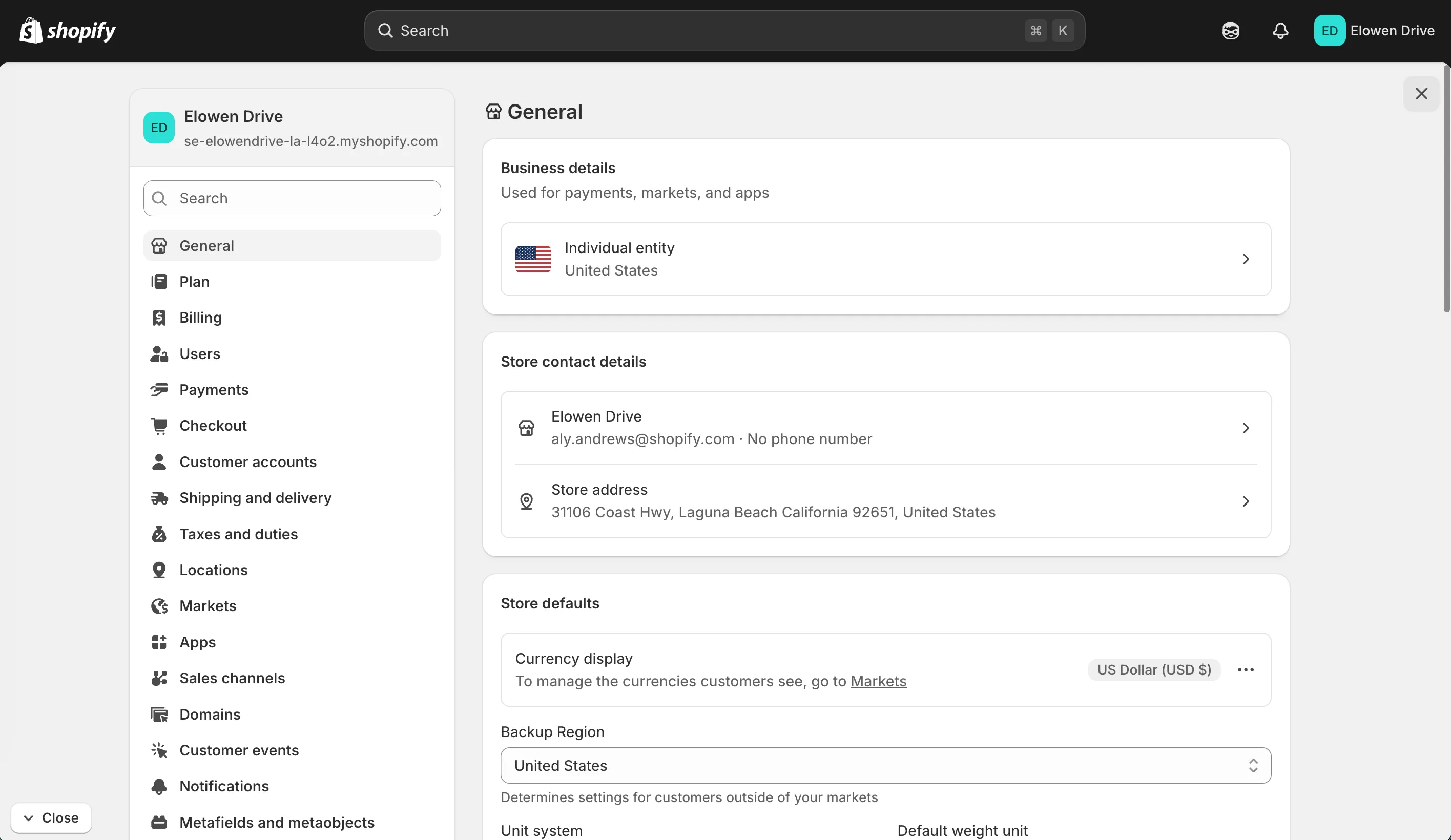
Add store contact information
- In your Shopify admin, go to Settings → General.
- In Store contact information, click on your store name.
- Enter the store email and phone number (optional).
- Click Save.
Note
The store email address you list here receives order notifications and customer inquiries. Use an email address you check regularly. Consider using a dedicated business email rather than a personal email address.
Store address
The store address is used for tax and shipping calculations and appears in legal documents. It is also pulled into policy templates and shipping settings.
Tip
If you work from home and don’t want your home address on customer-facing pages, consider using a PO Box or business address before generating legal page templates.
Add store address
- In your Shopify admin, go to Settings → General.
- In Store contact information, click on your store address.
- Enter your complete store address, including city, state/province, country and postal code/zip code.
- Click Save.
Policy templates
Shopify provides working policy templates for Privacy Policy, Terms of Service and Refund Policy. It’s crucial that you review and edit templates before publishing them to your online store.
Shopify templates include default values that may not match your business. Policy pages are legally binding, so update every line to match your actual business practices and ensure they are compliant with local laws and regulations.
Shopify does not provide a policy template for shipping policies. Shopify Community forums are a great resource for examples you can use as inspiration.
Tip
Use this public resource to help you create your shipping policy: Shopify’s shipping policy guide.
Terms of Service policy
The Terms of Service policy helps protect your business by setting clear expectations with customers. It outlines the rules for using your store, including how orders are processed, payment terms, shipping, returns, and limitations of liability. It is one of the essential legal pages every online store should have.
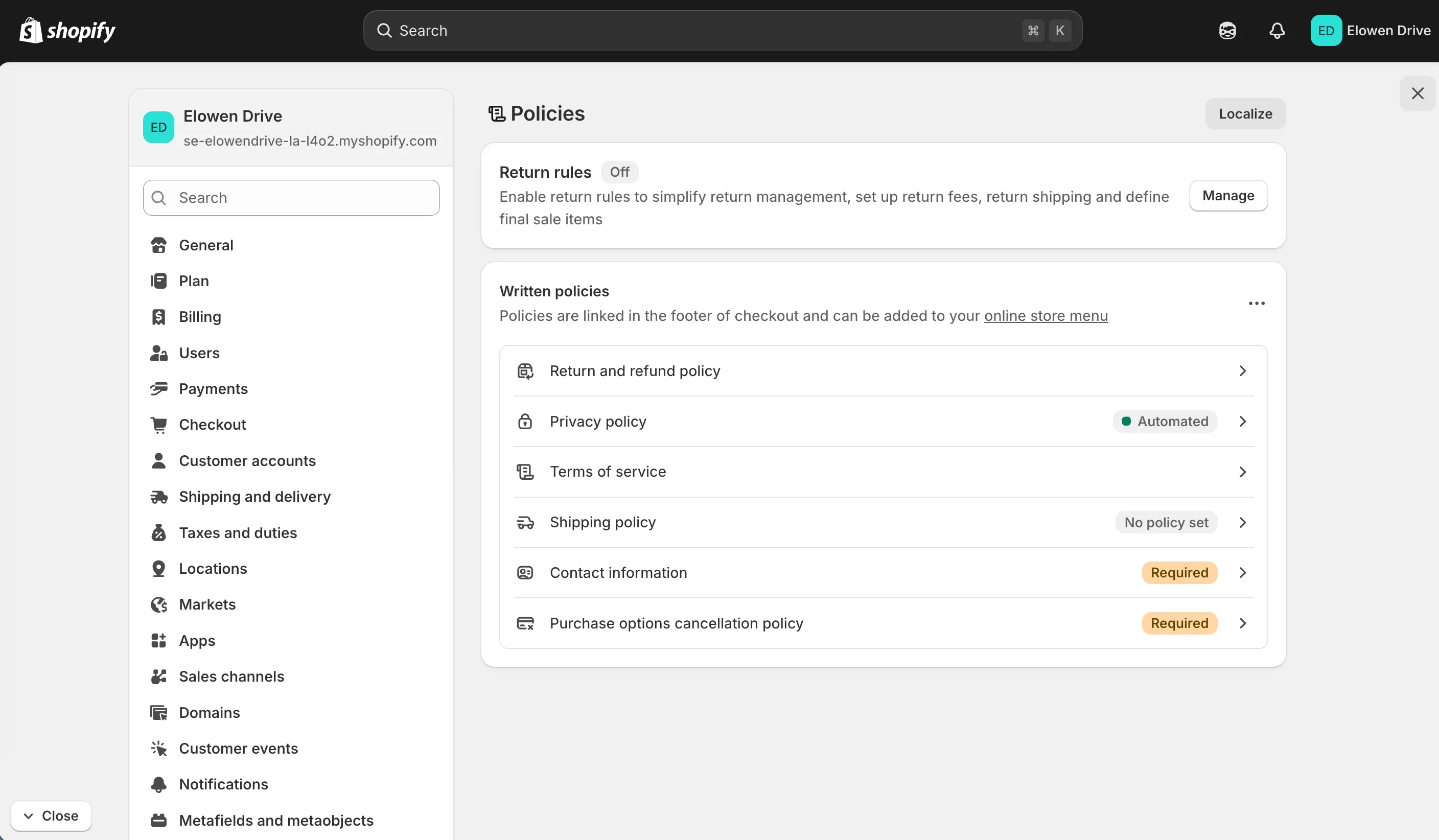
Create Terms of Service policy
- In your Shopify admin, go to Settings → Policies.
- Click Terms of service.
- Click Insert template.
- Review and edit the content so it matches your business.
- Click Save.
Note
Policies are legally binding. If you are unsure about the language, work with a lawyer or local advisor. Repeat the same process for Privacy Policy and Refund Policy.